Step-by-step guide
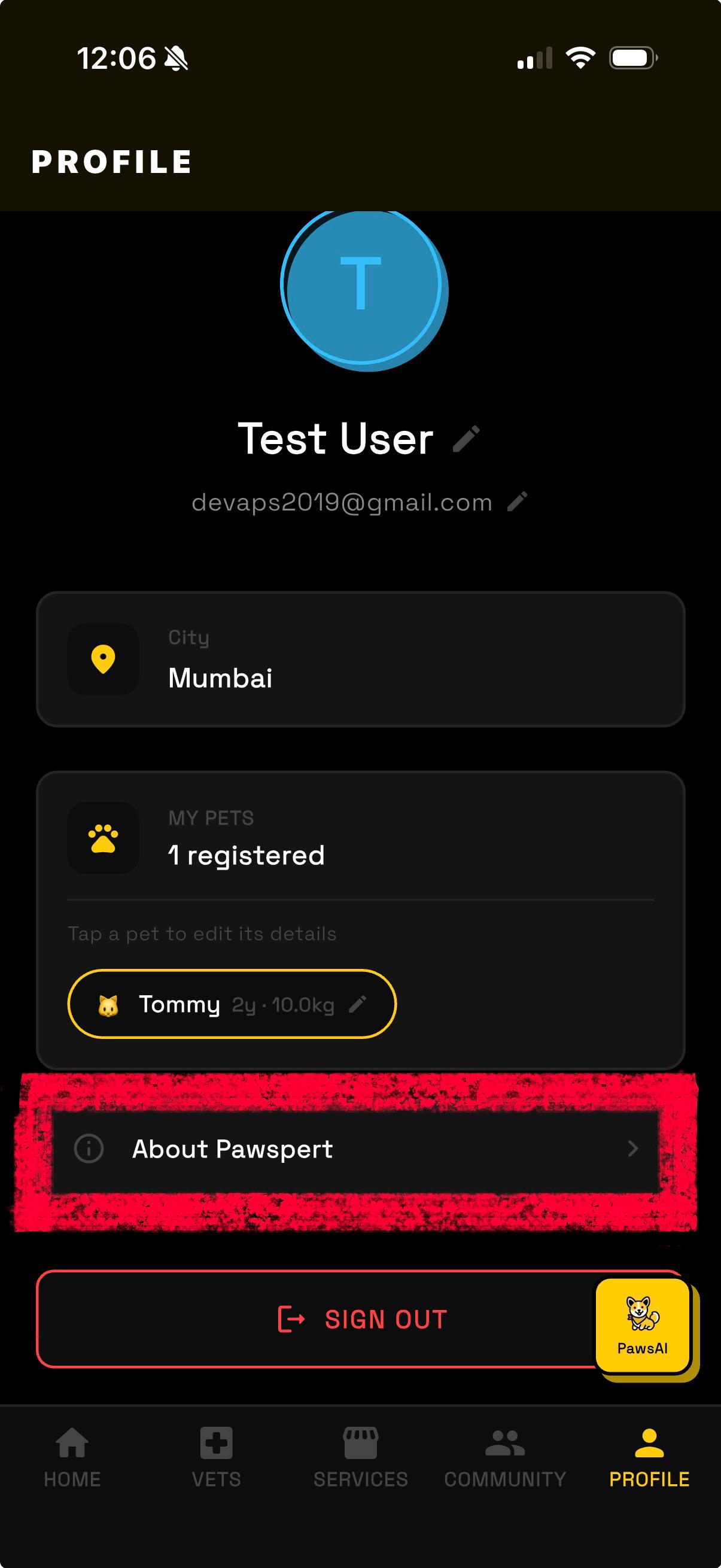
Open Profile & tap "About Pawspert"
Open the Pawspert app and tap the Profile tab in the bottom navigation bar. Scroll down past your pet info and tap the "About Pawspert" row.
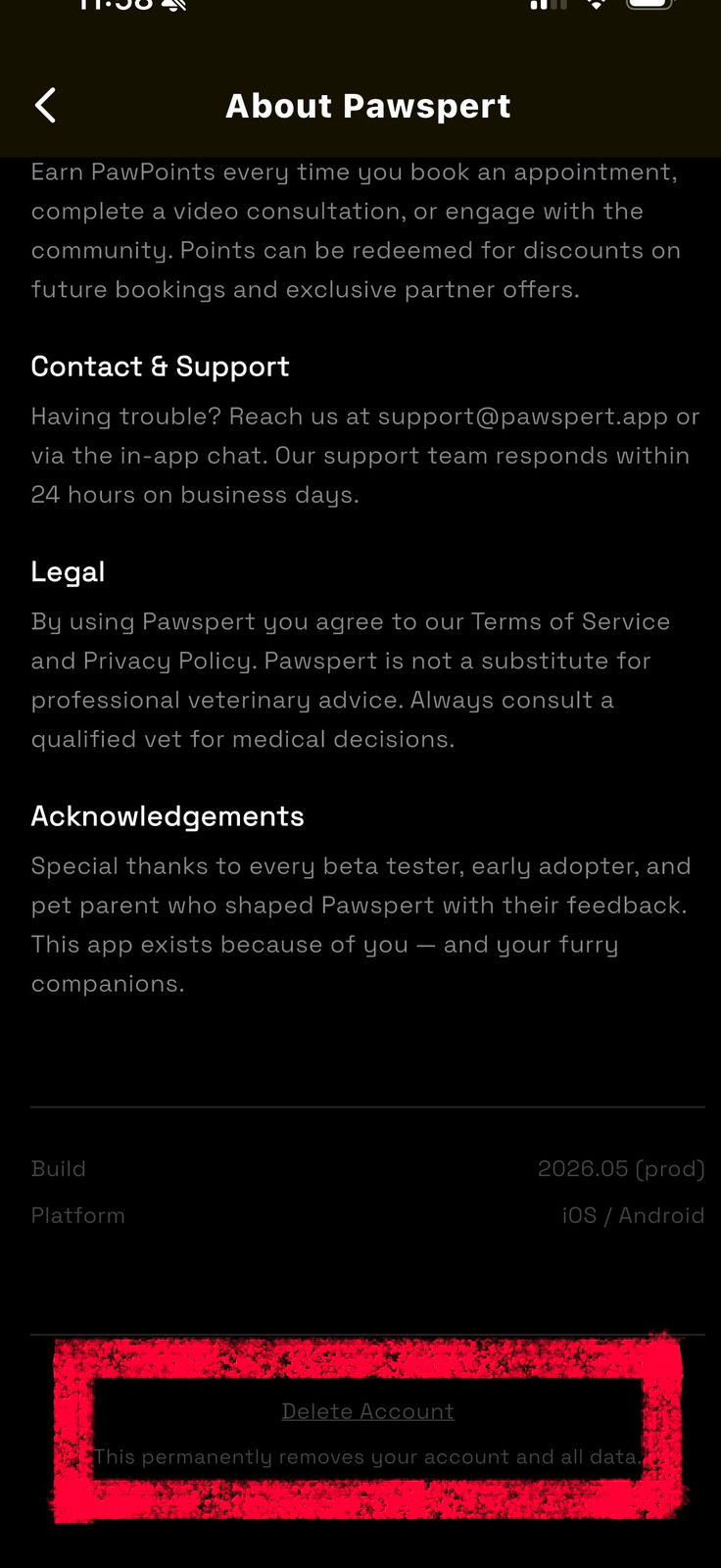
Scroll to the bottom & tap "Delete Account"
Inside the About Pawspert screen, scroll all the way to the bottom. You'll see a Delete Account button with a short description below it. Tap it to begin the deletion process.
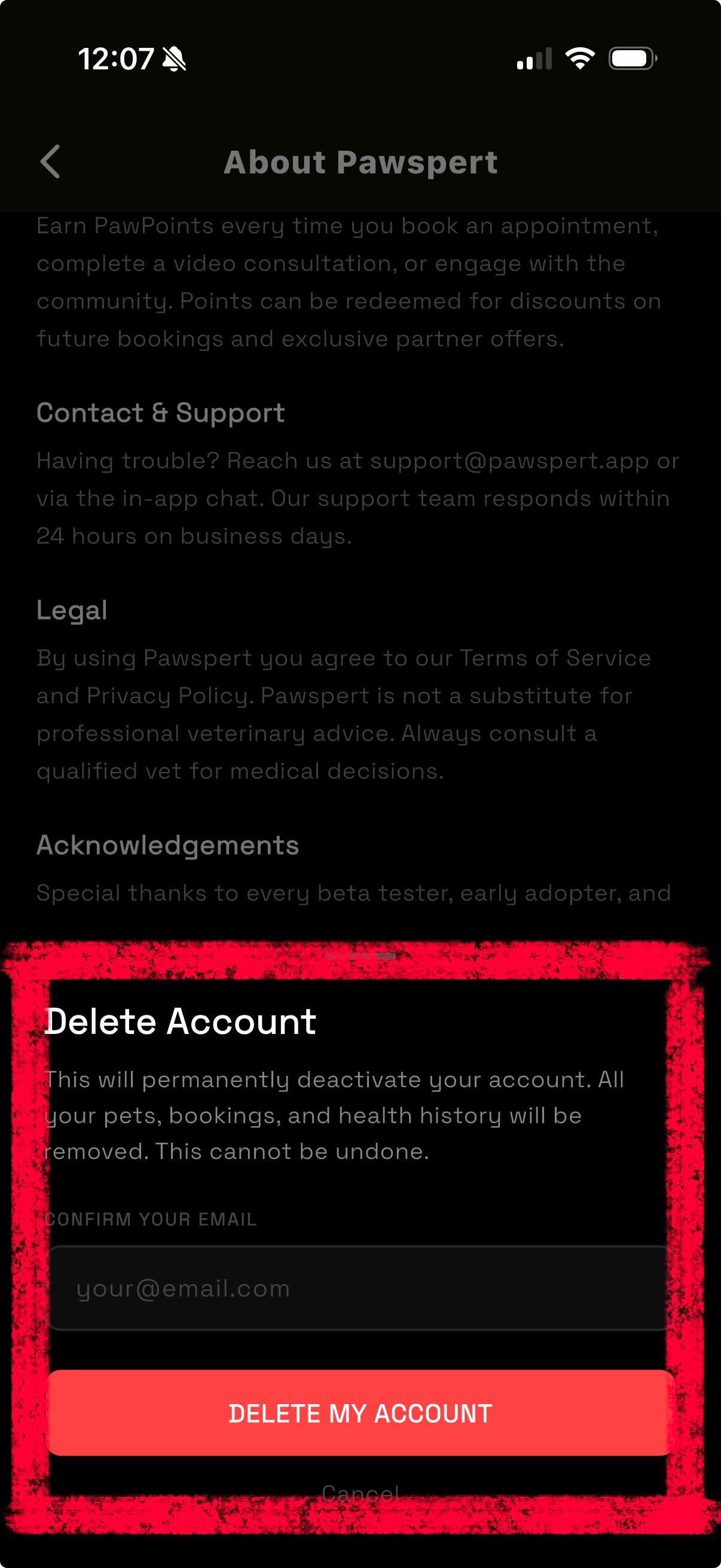
Confirm your email & delete
A confirmation sheet will appear. Enter the email address linked to your account in the field provided, then tap "DELETE MY ACCOUNT".
Your account will be immediately deactivated. All data is permanently purged within 90 days in line with our Privacy Policy.
What gets deleted
Need help or can't access the app?
If you've already uninstalled Pawspert or are having trouble accessing your account, email us directly and we'll process your deletion request within 7 business days.
📧 pawspert@gmail.comInclude the email address registered with your Pawspert account in your message.